









Blood Strike Gold Top-Up and Strike Pass: What Do You Need?
Looking to add Gold to your Blood Strike account or purchase a Strike Pass? Once you know what you need, you can choose directly between these two product types without spending time comparing options that do not match your plans. If you also play other multiplayer shooters, TRADEE offers top-ups for PUBG MOBILE, Free Fire, Knives Out, and Delta Force, so you can choose based on the games you play and the currencies you need.
What Are the Differences Between the Two Options?
Blood Strike Gold
Ideal for players who want to add in-game currency first and decide how to spend it based on the items available in the store. Compare the available Gold amounts, prices, and applicable offers to find an option that fits your budget.
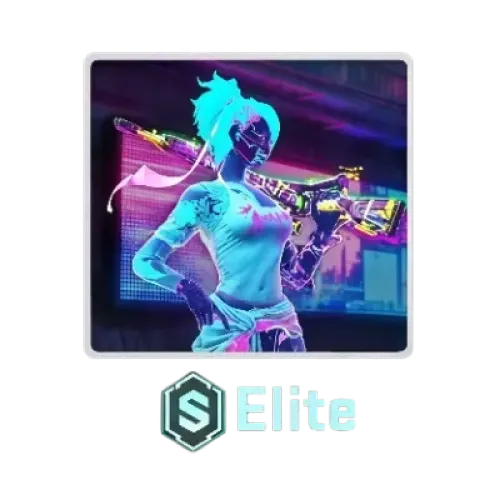
Strike Pass Elite / Strike Pass Premium
If you have a specific pass in mind, go straight to the corresponding Strike Pass product. Elite and Premium are separate purchase options, so make sure to select the exact version shown on the product page.
Prices and available options may change. Check the latest product details before placing an order instead of relying on previous prices or outdated product lists.
Check Your Platform and Server Before Submitting Your UID
Blood Strike top-ups must meet both platform and server requirements. This product supports cross-platform top-ups for Mobile and PC on the Global Server, but does not support the MENA version used in the Middle East and North Africa.
| Item | Product Details |
|---|---|
| Game | Blood Strike |
| Supported Platforms | Mobile and PC; cross-platform top-ups supported |
| Supported Server | Global Server; MENA is not supported |
| Required Information | Player UID |
| Typical Processing Time | The original product information states approximately 30 seconds to 3 minutes. Actual processing times may vary. |
Important: This product does not support the MENA version. Even if your platform is supported, check that your account is on an eligible server before ordering to avoid selecting the wrong product.
How to Find Your Player UID
Prepare your Player UID before ordering to reduce the chance of input errors. You can find this ID directly in the game:
- Launch Blood Strike and open the main screen.
- Tap your profile avatar in the upper-left corner to open your profile.
- Find your Player UID and tap the copy icon next to it to copy the full ID.
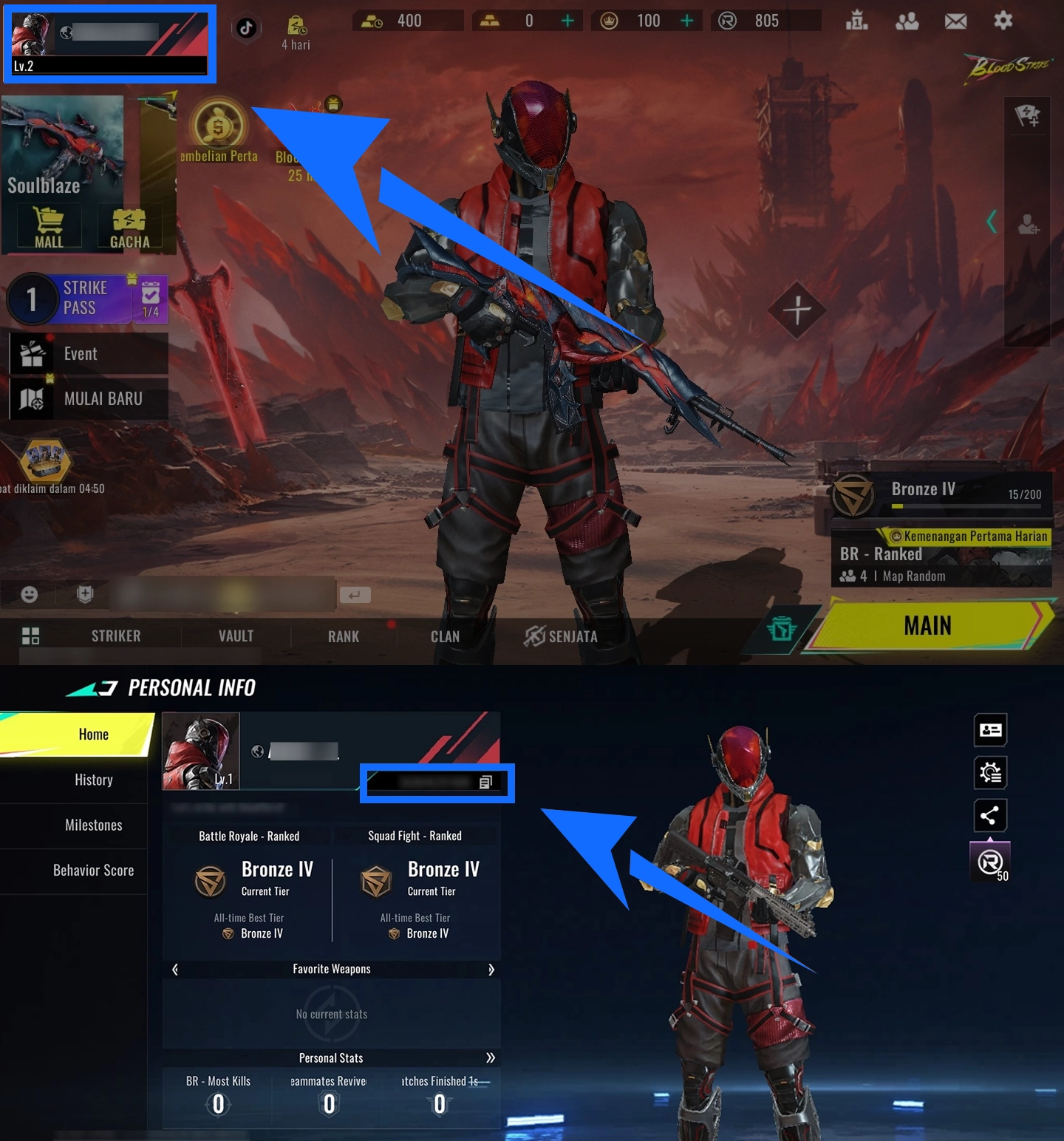
Paste the copied UID into the required field when placing your order, then check it again before payment. This product uses direct UID top-up, so you do not need to provide your Blood Strike password or account login credentials.
From Product Selection to In-Game Confirmation
- Choose a Product
Visit the Blood Strike product page on TRADEE and select your preferred Gold amount or one of the available Strike Pass products. Review the price and any applicable offers.
- Enter Your Player UID
Enter the UID copied from the game. Make sure your account is on the Global Server and meets the product's platform and regional requirements.
- Check the Total and Pay
Confirm your selected product, UID, and final amount due, then complete the transaction using one of the payment methods available at checkout.
- Check Your Order and In-Game Result
After payment, you can check the order status in your purchase history. For Gold, verify your in-game Gold balance. For a Strike Pass, check that the corresponding pass is active in the game.
A Simpler Process from Selection to Payment
When purchasing in-game currency, it is important to check both the selected amount and the final payment total. TRADEE displays product prices and applicable offers to help you compare options before ordering. PayPal, Visa, and other payment methods may be available at checkout; the options shown on the checkout page are final.
Direct UID top-ups do not require unnecessary game account login details. Orders are processed according to the selected product. The original product information lists a typical processing time of approximately 30 seconds to 3 minutes, although payment verification, order volume, and other factors may affect the actual time.
- Clear Pricing: Check product prices and applicable offers before ordering to choose an option within your budget.
- Flexible Payment Methods: Pay using PayPal, Visa, and other methods available at checkout.
- Convenient Ordering: Submit a direct top-up order with your Player UID, avoiding unnecessary account operations.
- 24/7 Customer Support: TRADEE provides round-the-clock support for payment questions and order status enquiries.
Whether you need more Gold or want to purchase a Strike Pass, compare the product details and current prices before choosing the option that suits your needs.
