


Hello, how can I help you?
Welcome to the TRADEE Help Center. Want to know how long game top-ups take to arrive, which payment methods are supported, or are you having trouble logging in to your account? Select a category below to view the FAQ.
Question Type
Acc Link
How do I log in to the trading platform?
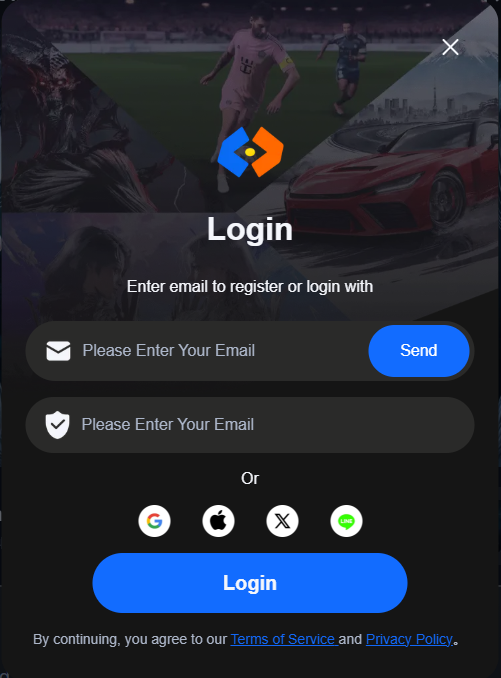
(1) Enter the trading platform using the link Tradee.gg. Click the login button at the top right corner to log in.
(2) You can log in to the trading platform using your E-mail, Google, Line, Facebook, Twitter or Apple account. By default, you will have to register a platform account when you log in for the first time.
How to link to multiple social media accounts?
Each social media can only be linked to one platform account. You can go to Personal Center -> Account Settings to link to another platform account. Once you have linked your social media account, you can log in to the trading platform using either account.Please note that linking a social media account to a platform account is an irreversible process. You will not be able to unlink your social media account in the future.
How to link account to my email?
(1) Log in to the trading platform, and go to Account Information. Look for email and click “Link email”.
(2) Enter the email address you would like to link the account with. Make sure that you have access to this email. Once you are done, click “Send”.
(3) Log in to your email and check your inbox for a verification code email. If you do not receive it, you can click the “Send” button again after 60s.
(4) Open the verification code email and find the verification code inside. Go back to the trading platform and enter the verification code to complete the email linking process.
Currently, the trading platform does not support the changing of a linked email. Every email can only be linked to one platform account. If you have any questions, you can go to Help Center -> Customer Service to contact us.
Still need help?
24/7 Customer Service, always here.