






Love and Deepspace Crystals: Save for Wishes or Your Favorite Outfits
Planning to wish for a limited 5-Star Memory, or looking to get new outfits and accessories for Xavier, Zayne, Rafayel, Sylus, or Caleb? In Love and Deepspace, Crystals and Diamonds are connected, but they are not interchangeable currencies. This distinction matters especially when you plan to buy paid outfits. Check how each currency works before converting all your Crystals into Diamonds.
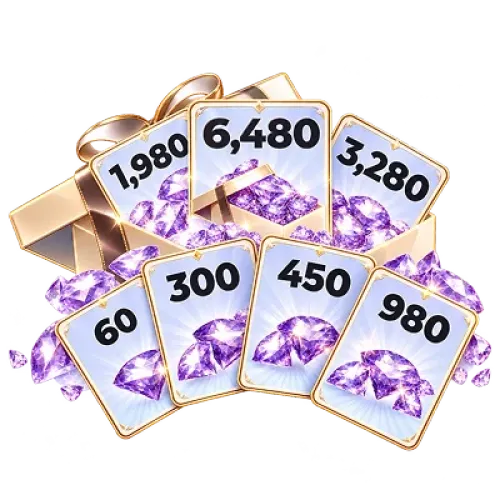
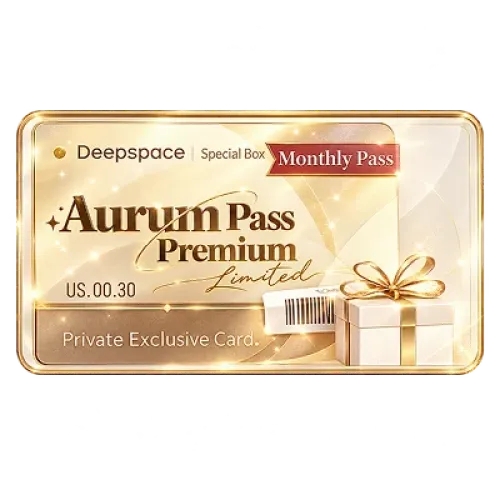
TRADEE offers Love and Deepspace Crystal top-ups, Aurum Passes, and selected packs. Choose an amount based on your Wish plans or shop purchases. Depending on the product, you can use Hunter No. self-service top-up or manual top-up via account login. The required information and processing steps vary by product.
Which Love and Deepspace Products Should You Compare?
TRADEE offers several Crystal packages, the Aurum Pass, and selected packs. Instead of comparing prices alone, consider whether you need currency right away or prefer to build up resources over time. Players who enjoy collecting characters and styling outfits may also like Infinity Nikki top-ups, which offer another character-focused collecting experience.
If you are waiting for a favorite Memory to rerun, review your current Diamonds, Wish Tickets, and pity progress first. If you want a new outfit, use its Crystal price in the in-game shop as your main reference. These goals call for different budgets and top-up plans. Players who enjoy story exploration and character-focused narratives can also browse Reverse: 1999 top-ups or explore the urban fantasy setting of Neverness to Everness top-ups.
Self-Service Top-Up or Manual Top-Up: Which Should You Choose?
TRADEE offers two top-up methods for Love and Deepspace, but not every product uses the same method. Before placing an order, check the delivery type shown for your selected product and prepare only the account information required for that method.
Hunter No. Self-Service Top-Up: No Game Login Password Required
Self-service products use your in-game Hunter No. and server to identify the receiving account. You do not need to provide your Love and Deepspace login password or let someone else log in to your game account.
Self-service top-ups usually take around 3–5 minutes. Actual completion time may vary depending on payment confirmation, order volume, and server conditions.
Manual Top-Up via Account Login: For Selected Products
Other products use the account-login method, including certain Crystal packages, the Aurum Pass, and selected packs. After payment, you must submit the relevant game account login details through the order process so the top-up operator can log in and purchase the selected product.
If additional verification is required during login, you may also need to provide a verification code. Avoid logging in to the same game account while the manual top-up is being processed to prevent login conflicts.
Manual top-ups usually take around 15 minutes. This is an estimated processing time, not a guaranteed completion time for every order.
Both methods are fulfilled according to the product you purchased. After a self-service top-up, check the Crystal balance on the receiving account. For a manually purchased Aurum Pass or pack, confirm that the relevant benefits or selected items have been received.
Check Your Hunter No. and Server Before Ordering
Love and Deepspace self-service top-ups use your Hunter No. and server as the main receiving details. Your Hunter No. is a numeric identifier for your in-game character and is different from your chosen nickname.
This product supports top-ups for the international server on the iOS and Android versions of Love and Deepspace. Make sure the server selected for the product matches your game account. Your phone's region or device language alone does not determine the correct server.
How to Find Your Hunter No.
- Open Love and Deepspace and log in to the character you want to top up.
- Tap the profile entrance in the upper-left corner of the main screen to open your Hunter profile.
- Find your Hunter No., check every digit, and note your character's server.
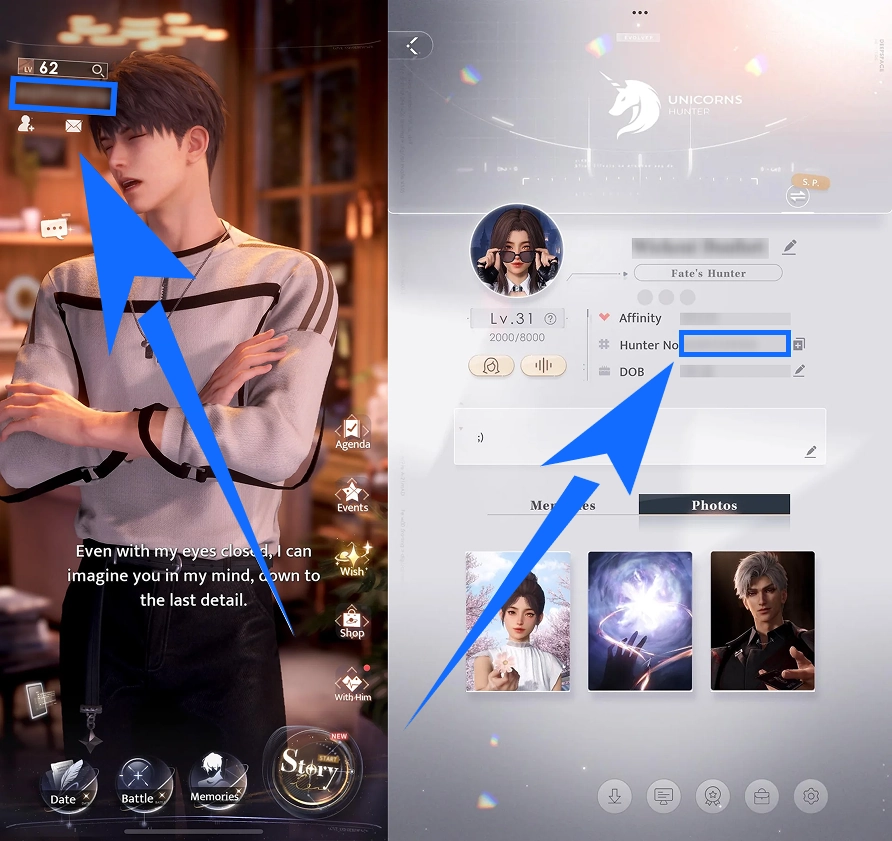
When entering your order details on TRADEE, copy your Hunter No. directly from the game or check it carefully. Even one incorrect digit may prevent the top-up from reaching the right account.
Virtual products that have been successfully delivered generally cannot be canceled or transferred to another account. Check all receiving details before payment, especially the server, to avoid selecting the wrong character.
How to Complete a Love and Deepspace Top-Up on TRADEE
Whether you are topping up Crystals for a limited Wish or buying an Aurum Pass or another pack, start by choosing the product that matches your needs. TRADEE supports payment methods such as PayPal and credit cards. Available options are displayed on the checkout page.
Hunter No. Self-Service Top-Up
- Choose a Crystal package: Find a Love and Deepspace product that supports self-service top-up on TRADEE, then select the amount you need.
- Enter your Hunter details: Enter your Hunter No. and select the matching server. Check that both match your in-game character.
- Complete payment: Review the product, top-up amount, and final price, then pay using an available method.
- Check the result: Once processing is complete, open Love and Deepspace and check your Crystal balance.
Crystal Packages and Packs via Account Login
For products that use account login, select the relevant product and complete payment on TRADEE. Then submit your game login details as requested on the order page. If the order instructions direct you to provide information through online customer support, follow the method shown for that order.
Once the required information has been received, the top-up operator will log in to the relevant game account and complete the purchase. The order will enter the processing queue after the details are submitted, and its status will be updated when the purchase is complete. You can also check the order status and progress in your purchase history.
After the manual top-up is marked as complete, log in to the game and check your Crystals, Aurum Pass benefits, or pack contents to make sure they match your order.
If processing takes longer than expected, your payment status looks unusual, or the product does not appear after completion, contact TRADEE 24/7 customer support for help. For purchases tied to limited-time events or Wish Pools, allow enough processing time instead of treating the estimated arrival time as a guarantee.
Love and Deepspace Crystal Top-Up FAQ
Can I convert Diamonds back into Crystals?
No. Crystals can be converted into Diamonds at a 1:1 ratio, but Diamonds cannot be converted back into Crystals. If you plan to buy outfits, accessories, or other shop items that require Crystals, keep the amount you need before converting the rest.
Do I receive all the Diamonds from the Aurum Pass at once?
No. The Aurum Pass includes rewards granted at purchase and resources claimed daily during its active period. It is better suited to players who log in regularly and want to build up Diamonds over time, rather than those who need the full monthly reward immediately.
Does converting Crystals into Diamonds guarantee a specific 5-Star Memory?
No. A Crystal top-up gives you in-game currency, but Wish results are still determined by the pool's rates, pity system, and event rules. If you are aiming for a limited 5-Star Memory, check your current Wish count, pity status, and event rewards. The top-up amount is not the direct purchase price of a specific Memory.
Can Deepspace Wish Tickets and Empyrean Wish Tickets be used interchangeably?
No. They are mainly used for different Wish Pools. Deepspace Wish Tickets are generally used for eligible limited-time Wishes, while Empyrean Wish Tickets are mainly used for the permanent Wish Pool. Some events also provide tickets with their own validity limits. Check the item name and eligible Wish Pool before buying a pack.
