






NTE Riftcrystal Top-Up — Get Ready for Your Next Adventure in Hethereau with TRADEE
In Hethereau, the city featured in Neverness to Everness (NTE), exploring urban anomalies, collecting characters, and purchasing cosmetics all require different in-game resources. Whether you are preparing to recruit a new character, shop for in-game items, or replenish resources for everyday play, TRADEE offers Riftcrystal, Monthly Pass, and selected supply packs to choose from.
TRADEE offers multiple Riftcrystal denominations, along with the Monthly Pass and selected supply packs. Choose the option that best matches your resource needs, product contents, and budget, then complete your purchase using the method available for that item. Some products may have limited-time discounts. Please refer to the product page for the actual price.
How to Choose Between Riftcrystal, Annulith, and Supply Packs
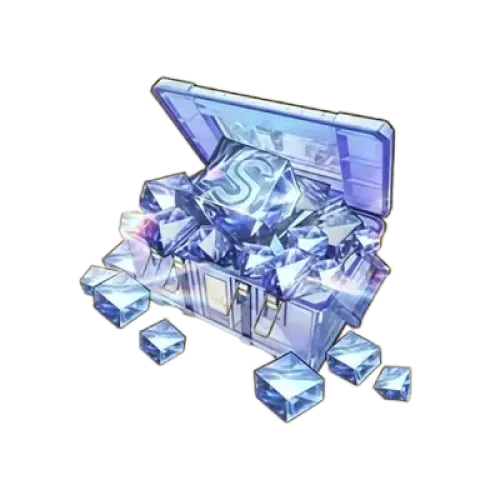
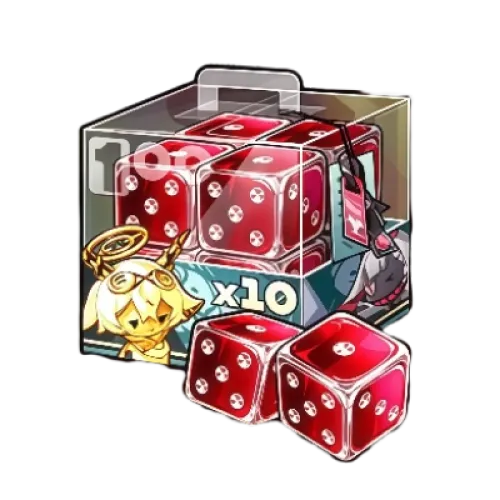
Riftcrystal is a premium currency that can be used to purchase selected in-game shop items or exchanged for Annulith at a 1:1 ratio. Annulith can then be used to obtain items such as Solid Dice, Fabricated Dice, and Triple Keys for different board and shop systems.
Riftcrystal denominations: TRADEE offers 60, 300, 980, 1,980, 3,280, and 6,480 options. Some denominations may include bonus currency or first-purchase rewards. The actual amount and eligibility requirements are subject to the details shown on the product page.
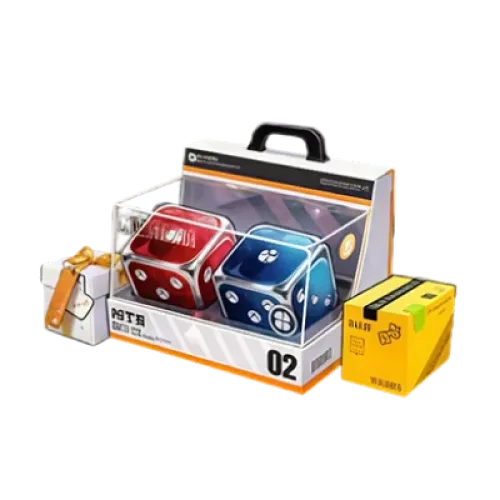
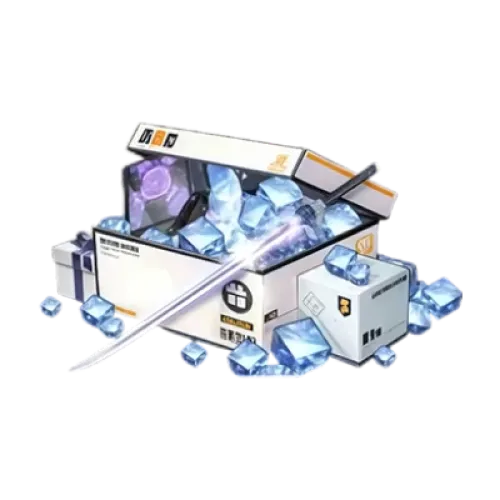
Monthly Pass and supply packs: In addition to direct Riftcrystal purchases, you can choose the Monthly Pass and selected supply packs. Each product has its own rewards and redemption method, so check the details before ordering.
If you are aiming for a specific character or Arc, check the rules and required items for the relevant board first. Purchasing Riftcrystal does not directly grant a selected character, Arc, or recruitment result.
Choose the Right Product and Enjoy a Convenient Checkout
TRADEE offers competitive Riftcrystal prices, with selected products potentially available at limited-time discounts. Compare the contents and listed prices of different denominations, then choose an amount that fits your budget. There is no need to spend more than necessary just to get a larger denomination.
Multiple Payment Methods
At checkout, you can use the payment methods currently available on the page, including options such as PayPal and Visa. Review the product specifications and final amount before confirming your payment.
Different NTE products may use either Direct Top-Up or Account-Login Top-Up, so the order process depends on the item you select. TRADEE offers 24/7 customer support. If you encounter login verification, payment, or order-status issues, provide your order details so the team can check the progress.
Check Your Server and Login Details Before Topping Up Riftcrystal
TRADEE's NTE top-up service supports selected servers and provides the corresponding process for each product. Before placing an order, check your game account, server, and the login requirements of your chosen item.
| Supported platforms | iOS, Android, Windows PC, Mac, PlayStation 5, and PlayStation 5 Pro |
|---|---|
| Supported TRADEE servers | Asia, America, Europe, and SEA |
| Service methods | Direct Top-Up (self-service) or Account-Login Top-Up (account login), depending on the method available for the selected product. |
| Required account details | Depending on the top-up method, you may need to provide your game account or linked official email, password, and server region. If two-factor authentication is triggered during login, follow the verification steps shown in your order. |
| Estimated processing time | Direct Top-Up: approximately 3–5 minutes; Account-Login Top-Up: approximately 15 minutes. Actual processing time may vary depending on payment, login verification, and order conditions. |
Account information reminder: This service is not a UID-only top-up. Provide the required account and verification details according to the selected product, and make sure your server information is correct before payment.
Direct Top-Up: A Self-Service Purchase Process
If your selected product supports Direct Top-Up, follow the instructions on the order page after payment to enter the self-service process, log in to your game account, and complete the purchase. This method may still require account login details and verification; it is not a UID-only top-up service.
- Choose Riftcrystal or a supply pack
Visit the TRADEE NTE product page, select your preferred Riftcrystal denomination, Monthly Pass, or supply pack, and review the product details and price.
- Pay and enter the self-service process
After completing payment, open your order page and follow the instructions for the selected product to enter the Direct Top-Up process.
- Log in and verify your account details
Log in to your game account as instructed by the interface, then check the server and character information. If additional verification is required, follow the on-screen prompts.
- Complete the purchase and check your items
Follow the on-screen instructions to select and purchase the product. Once the order is processed, return to NTE and check your Riftcrystal balance, Monthly Pass status, or the redemption status of your selected supply pack.
Account-Login Top-Up: How Does the Process Work?
With Account-Login Top-Up, TRADEE uses the game account details required by the order to log in and complete the relevant purchase. It is recommended that you link your game account to an official email address first. You can then submit the corresponding email login details as requested by the order.
Link Your Game Account to an Official Email First
If you currently use another login method for NTE, you can link an official email address in the game. Once the link is complete, you can use that email as your login method when required by the order.
-
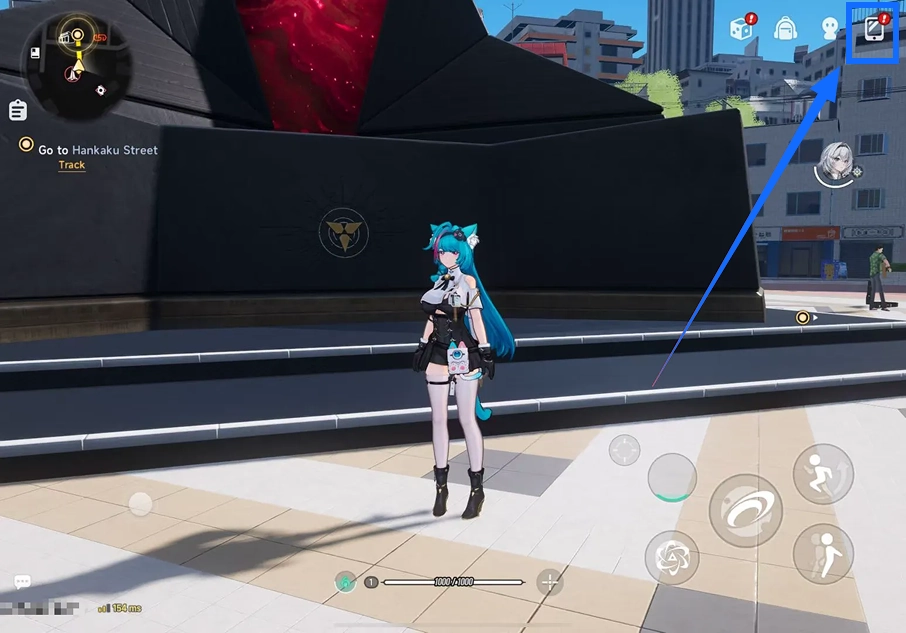
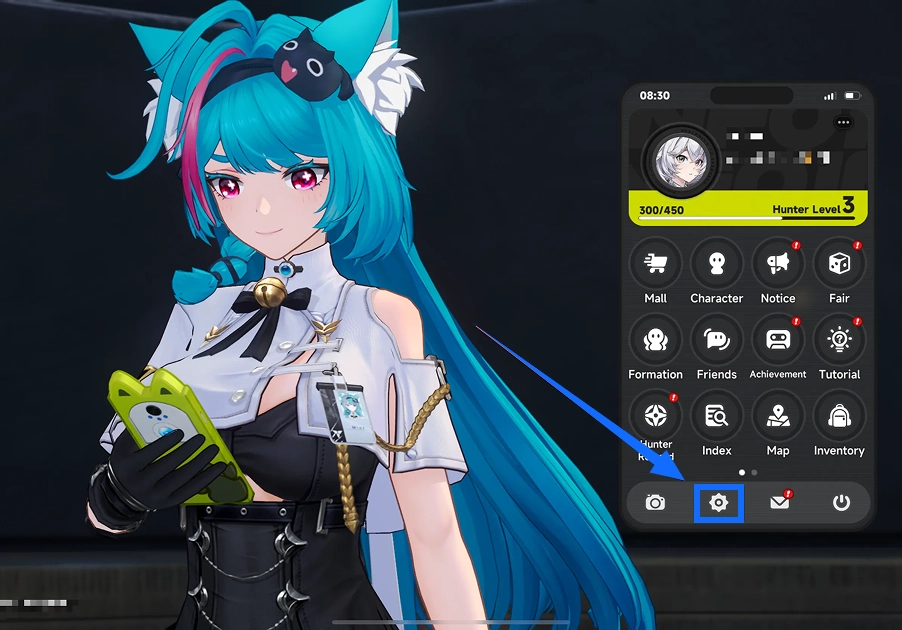
Open the main game screen, tap the function icon in the upper-right corner, and open the settings menu.
-
On the settings page, find and tap the Account Settings icon at the top.
-
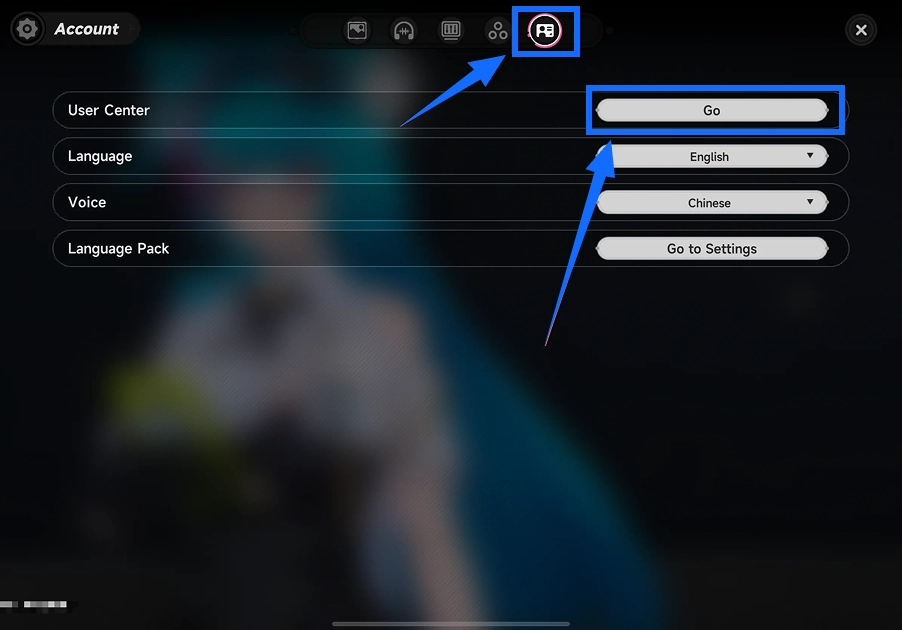
Tap Go next to User Center to open the account center.
-
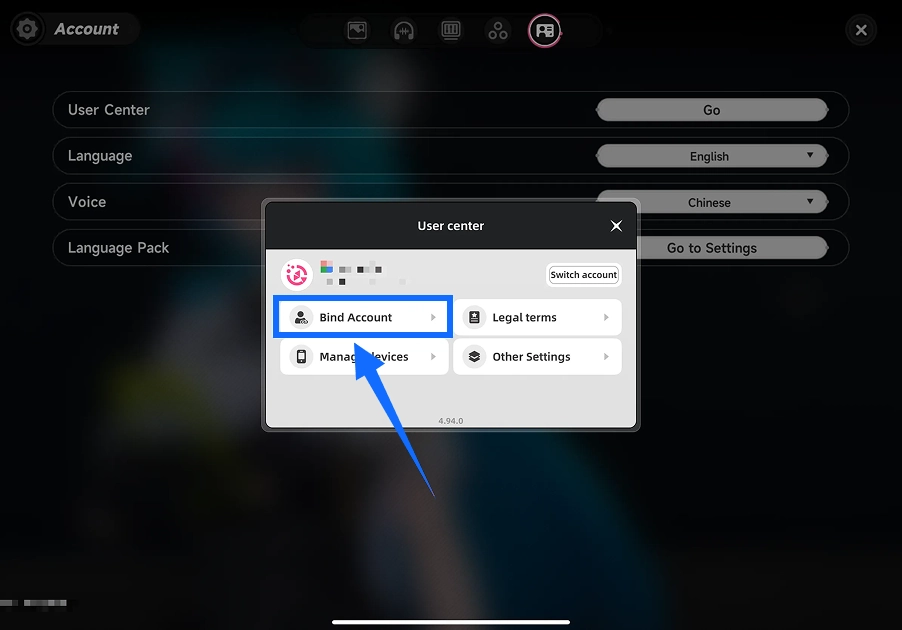
In Account Center, select Bind Account.
-
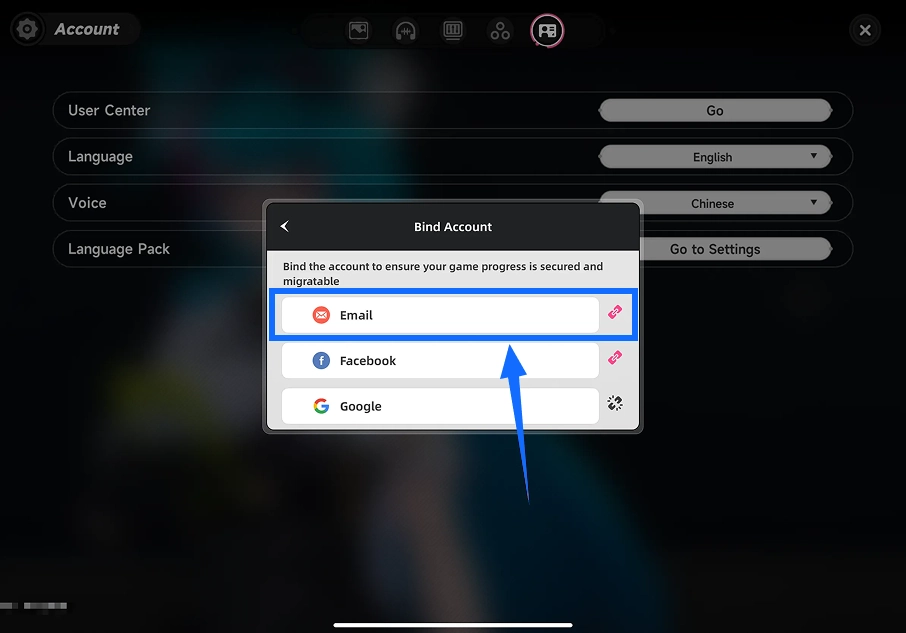
Select email from the available linking methods, enter the official email address you want to link, and follow the in-game instructions.
-
After linking, check that the link icon next to the email has turned gray to confirm that the linking status has been updated.
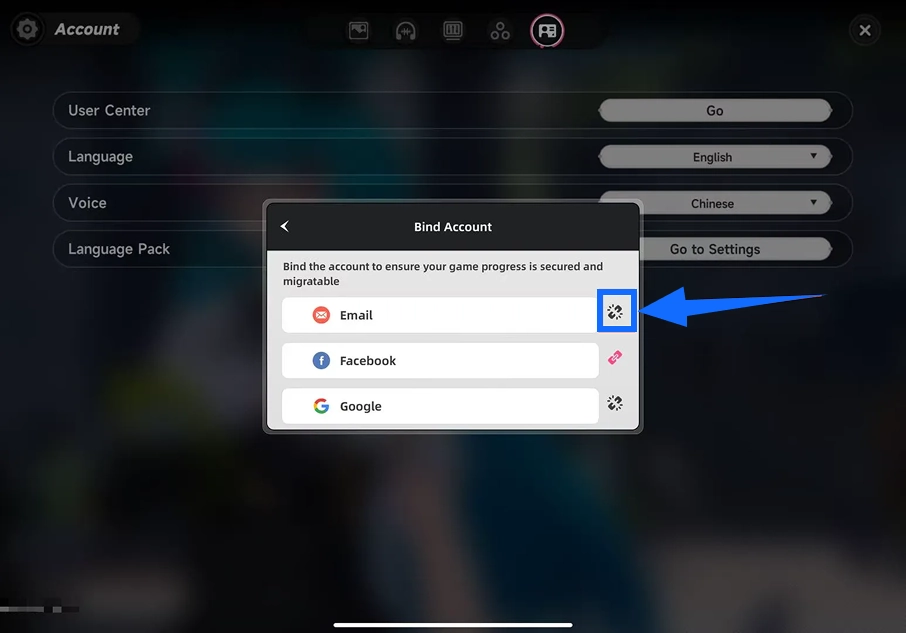
Linking reminder: Make sure the email address can receive messages, and keep your email and game account login details secure.
Submit Your Account Details and Complete Login Verification
Select the Riftcrystal or supply pack you need on TRADEE, check the price, and complete payment. Then submit the linked official email, account password, and correct server region as requested by the order. If two-factor authentication is triggered during login, provide the required verification code through the process specified in your order.
Wait for Processing and Check Your Purchase
After submitting the required details, follow the order page instructions and wait for processing. While the top-up is being handled, avoid logging in to the same NTE account from another device or session, as this may cause a login conflict or interrupt the process.
Account-Login Top-Up usually takes around 15 minutes. Actual processing time may vary due to login verification, payment checks, game maintenance, or order volume. You can check the order page or Purchase History for updates. Once the order is marked as completed, log in to the game and confirm that the Riftcrystal or selected item has arrived.
NTE Top-Up FAQ
Does the first Riftcrystal purchase always come with a double bonus?
Not necessarily. Some official in-game purchase channels may offer a first-purchase bonus to eligible accounts, but eligibility can depend on the account's purchase history, product denomination, and purchase channel. TRADEE products should not be assumed to qualify for every official first-purchase double bonus campaign. Check the selected product page for the listed amount and bonus details.
Will purchasing Riftcrystal directly give me a specific character or Arc?
No. Riftcrystal is a premium currency that can be used for eligible in-game shop purchases or exchanged for Annulith to obtain recruitment items. Characters and Arcs must still be obtained through their respective in-game systems. Purchasing Riftcrystal does not guarantee a specific result.
Can I use the same game progress on PC, mobile, and PlayStation 5?
NTE supports shared progress across eligible platforms through a linked game account. However, cross-platform access and account linking must meet each platform's requirements. Make sure your PlayStation account is correctly linked to your game account. Shared game progress does not mean that servers or all platform purchase balances can be freely transferred.
What should I do if payment succeeds but the Riftcrystal does not appear in-game?
First, check whether your order has finished processing. If it is still undergoing login verification or top-up processing, it may need more time. If the order is marked as completed but the Riftcrystal or selected item has not appeared in-game, contact TRADEE customer support and provide your order details so the delivery status can be checked.
