



What to Check Before Buying Team Fortress 2 Items
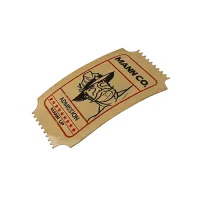
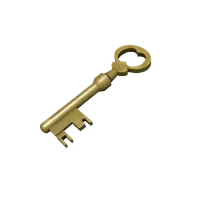
TRADEE's Steam product page currently offers Mann Co. Supply Crate Key and Tour of Duty Ticket. If you want to open supply crates or hold keys to trade with other players, choose Mann Co. Supply Crate Key. If you plan to play the official Mann Up mode, choose Tour of Duty Ticket. These are two different inventory items, so check the English product name on the product card before selecting a quantity.
How Many Mann Co. Supply Crate Keys Should You Buy?
If you want to open crates, first check which key is required for the supply crates in your TF2 backpack. Then choose a quantity based on the number of compatible crates you plan to open. Some event crates or cosmetic crates require their own specific keys, so do not place an order based only on seeing the word “Key.” This page lists Mann Co. Supply Crate Key. The key purchase does not include supply crates or guarantee any specific unboxing result.
If you plan to trade TF2 Keys with other players, the quantity you need depends on the terms agreed with your trading partner. TRADEE delivers the quantity of keys you select. It does not set a fixed exchange rate for keys or include the trading price of any specific cosmetic item.
How Many Tour of Duty Tickets Should You Buy?
Tour of Duty Ticket is required to enter the official Mann Up mode in Mann vs. Machine. Regular community MvM servers do not require this ticket. Before buying, check your Tour of Duty Badge: successfully completing a Mann Up mission you have not completed before consumes one Ticket. Failing a mission or replaying a mission you have already completed during that Tour does not consume another Ticket. Use the number of unfinished missions to estimate how many Tickets you still need. One Ticket is not a pass for an entire Tour.
Buying a Ticket does not complete missions for you, and Tour rewards are not included as selectable delivery items on this product page.
How to Check Your Steam Inventory After Ordering on TRADEE
Select the product card you need under the Steam option, then choose the quantity of Mann Co. Supply Crate Key or Tour of Duty Ticket. On the checkout page, check the English product name, quantity, and total amount again. Enter the required delivery information and payment details according to the fields shown. Neither item requires you to select a version based on your TF2 character class.
After receiving the items, check each one in your Steam/TF2 inventory by its English name. If the inventory does not match your order, keep your order number and relevant screenshots, then contact customer support through the original order for verification. The specific delivery information and arrangements are subject to the requirements shown on that order page.
Team Fortress 2 Item Purchase FAQ
I paid for a Key but meant to buy a Ticket. What should I do?
Contact support through your original order as soon as possible. Provide your order number, the item you selected, and the correct product name. Whether the order can be adjusted depends on its processing status. A Key and a Ticket are not automatically interchangeable during delivery.
I want to trade my Key after receiving it, but Steam shows a trade hold. What should I do?
First, check the restriction and the date when the item can be transferred, as shown by Steam. Trade holds and item restrictions are determined by Steam account and trading rules. Buying a Key does not remove these restrictions. If they affect delivery for this order, provide your order number and a screenshot of Steam's notice so customer support can look into it.
Can a free TF2 account receive these items? Will buying them upgrade my account to Premium?
Valve states that free accounts can receive items, but they do not have the full trading permissions of Premium accounts. Receiving a Key or Ticket from a third party is not the same as making a purchase in the in-game Mann Co. Store, so this order will not automatically upgrade your account to Premium.
