






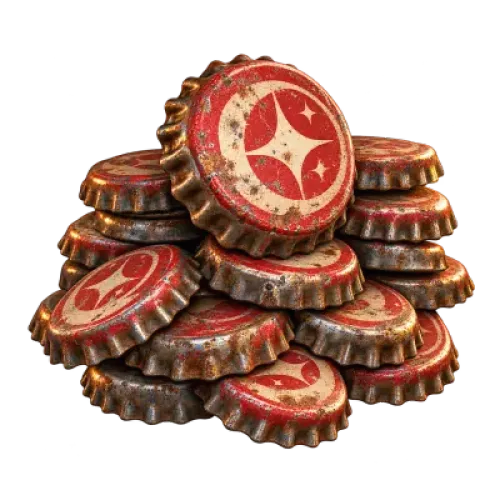
In Fallout 76, Caps are the currency players use for everyday purchases and trading. However, there is one important limit to keep in mind when buying Caps: a single character can hold a maximum of 40,000 Caps. TRADEE offers quantities ranging from 10K to 800K, so choosing an order involves more than looking at the total amount. You should also consider your character’s current balance and how a large order will be received.
Planning Your Fallout 76 Caps Purchase: Check Character Capacity Before Choosing a Quantity
Before placing an order, check how many Caps your character currently holds and how much room is left. The carrying limit is 40,000 Caps per character, so you should factor this restriction into your receiving plan if your balance is already close to the limit.
TRADEE offers several order sizes, from smaller top-ups to larger quantities. Consider your shopping goals, current character balance, and practical receiving arrangements instead of choosing an order based only on its listed total.
How Should You Plan Your Caps Budget?
Rather than simply aiming for a larger Caps balance, decide what you want to spend the currency on first. Different gameplay goals can require different shopping budgets.
Find Plans and Crafting Recipes
If you want to expand your C.A.M.P. building options or collect new equipment crafting recipes, check which plans you are missing and estimate the Caps you need based on their actual prices. This product provides Caps only. It does not include any specific plans or guarantee that a particular item will be available.
Stock Up on Combat Gear and Consumables
Weapons, armor, ammunition, and other consumables can add to your expenses when preparing for public events, exploring dangerous areas, or changing your character’s build. If you often switch equipment or try different combat setups, list the supplies you need first and choose a Caps quantity that fits your budget.
Find Items at Player Vending Machines
Player C.A.M.P. vending machines offer another way to find useful items. Stock, prices, and availability vary, so check the items you want before estimating how many Caps to prepare. Having enough currency does not guarantee that a specific item will be available; your options depend on in-game stock and trading conditions.
Choose the Platform That Matches Your Receiving Character
TRADEE lists the following platforms for Fallout 76 Caps. Select the option that matches the game version where you will receive the Caps.
- PlayStation: Choose the PlayStation option.
- Xbox: Choose the Xbox option.
- PC: Choose the PC option.
Your platform is essential to the receiving arrangement. Before ordering, confirm which version you use to access the game and prepare the corresponding character identification details. Other platforms are not listed on this page, so do not assume that an unlisted version is supported.
Planning a Large Order: Make Sure You Can Receive the Caps
A single character in Fallout 76 can hold a maximum of 40,000 Caps. If your character currently has 15,000 Caps, only 25,000 spaces remain. Even if your order total is much higher, you still need to account for the in-game limit.
For orders of 50K or more, plan your receiving capacity before payment. The total order quantity and the amount a character can receive at one time are two different things. Do not assume that the entire order can be added directly to one character’s balance. If the order needs to be handled in batches, receive the Caps in stages according to the actual delivery arrangement and keep track of each amount.
Check your character’s Caps balance after receiving each delivery and compare the amount received with your order details. This helps you track any remaining quantity and distinguish your original balance from the Caps delivered through the order.
From Choosing a Quantity to Receiving Your Caps
- Choose Your Platform and Quantity
Select PlayStation, Xbox, or PC, then choose a Caps quantity between 10K and 800K. If you select a larger option, consider your character’s carrying limit and receiving arrangements first.
- Submit the Required Order Details
Provide the necessary player identification and receiving character details in the checkout fields, then check that the information is correct. Do not share account passwords, verification codes, or other private information unless it is necessary.
- Review the Total and Pay
Before payment, confirm the platform, Caps quantity, and order total. TRADEE supports PayPal wallet payments and the credit card options shown at checkout, including eligible Visa payment methods. Available options are subject to what appears on the checkout page.
- Follow the Delivery Arrangements
After payment, follow the instructions provided for your order. If the total quantity exceeds one character’s carrying capacity, receive the Caps in batches according to the arrangement rather than assuming the entire order can be received at once.
- Verify the Caps Received
After each delivery, check your character’s Caps balance and record the amount received. Once the order is complete, compare the cumulative amount with the order total. If anything does not match, keep your order number and contact TRADEE customer support for assistance.
TRADEE offers multiple Caps quantities so you can choose according to your shopping plans and budget. If you have questions about platform options, quantity planning, or order handling, you can also contact 24/7 customer support and confirm the product and receiving arrangements before payment.
Fallout 76 Caps FAQ
Can Caps Replace Gold Bullion or Atoms?
No. Caps, Gold Bullion, and Atoms are separate in-game currencies with different uses. This product provides Caps only; the ordered quantity cannot be converted into other currencies or membership benefits.
Will Buying Caps Automatically Unlock Trading Features or Game Content?
No. This product provides Caps only and does not include quest progress, feature unlocks, or character-leveling services. Any additional quests, eligibility requirements, or conditions for specific game content must still be completed according to the game’s rules.
Are Prices at Player Vending Machines Fixed?
No. Prices and stock at player vending machines depend on in-game conditions, and different players may list the same items at different prices. If you are buying Caps for a specific piece of equipment or a plan, check your current shopping needs before deciding how much currency to prepare.
Does This Product Include Any Other In-Game Items?
No. This product includes only the selected quantity of Fallout 76 Caps. It does not include weapons, armor, ammunition, plans, or other separate items. If you need a specific item, choose the corresponding product category.
