



Bubble Gum Simulator INFINITY Items: How to Choose Hatch Boosts, Game Passes and Bundles
TRADEE offers game passes, gameplay boosts and resource bundles for Bubble Gum Simulator INFINITY, including Triple Hatch, Fast Hatch, Digital Storage and Extra Equips. Choose the items and quantities that match your needs, whether you want to improve egg hatching, expand your pet collection or build a stronger team.
Bubble Gum Simulator INFINITY, commonly known as BGSI, is a Roblox game centered around blowing bubbles, exploring floating islands, hatching pets and building a powerful pet team. Before buying, consider what you want to improve: hatch more eggs, store more pets or equip additional pets at once. Each item serves a different purpose, so you don't need to purchase every boost.
Want to Hatch Eggs Faster in BGSI? Compare Hatch Quantity, Speed and Luck
Triple Hatch vs. Fast Hatch: More Eggs per Hatch or Shorter Waiting Time
Triple Hatch increases the number of eggs you can hatch at once, while Fast Hatch improves hatching speed. If you want to open more eggs in each round, consider Triple Hatch. If your main goal is to spend less time waiting between hatches, Fast Hatch may be a better fit.
These two game passes improve hatching functions. They do not include the in-game currency needed to hatch eggs or directly provide specific pets. Before purchasing, check which game passes you already own and consider the eggs and resources you currently have available.
Double Luck: Better Chances of Finding Rare Pets, Not Guaranteed Results
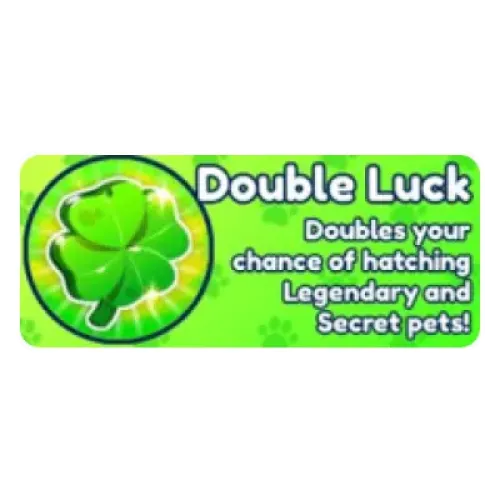
Double Luck provides a hatching luck boost that increases your chances of obtaining Legendary and Secret pets. Its effect is different from increasing the number of eggs hatched or improving hatch speed. However, the final result is still determined by the game's random system. Purchasing this pass does not guarantee a specific pet or a Legendary or Secret pet after a fixed number of hatches.
Choosing BGSI Items: Pet Storage, Equip Slots and Bubble Capacity
Digital Storage and Extra Equips: Separate Solutions for Collection and Team Building
Digital Storage expands your pet storage capacity, making it useful if you want to keep more of the pets you hatch. Extra Equips increases the number of pets you can equip at the same time, which is useful when you want to expand your team. These passes serve different purposes: more storage does not automatically give you more equip slots, and additional equip slots do not come with extra pets.
Infinity Gum: More Bubble Capacity, Not More Pet Storage
Infinity Gum addresses bubble capacity while Digital Storage is designed for pet storage. If bubble capacity is interrupting your gameplay, consider Infinity Gum. If you need more room for your pet collection, look at storage-related options instead.
Fishing and Resource Bundles: Choose Based on Your Current Needs
Auto Fishing focuses on automatic fishing, while Double Fishing XP increases the Fishing XP you earn. Double Gems and Double Currency provide boosts for different in-game currencies. These items do not have the same effect, so check which resource or feature each one applies to before purchasing.
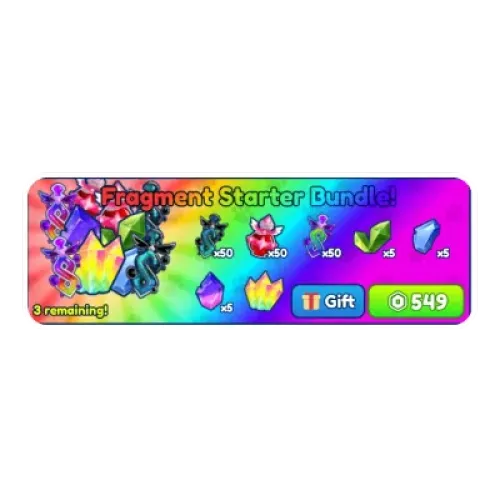
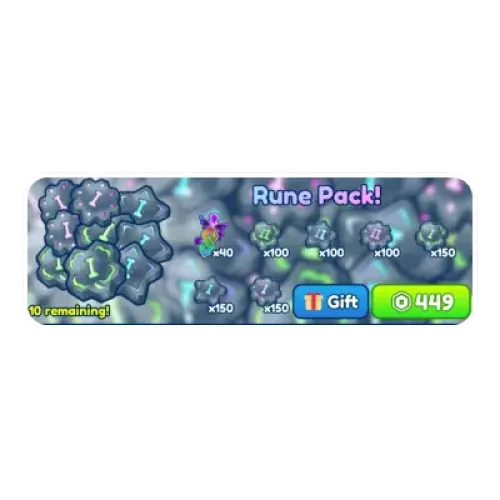
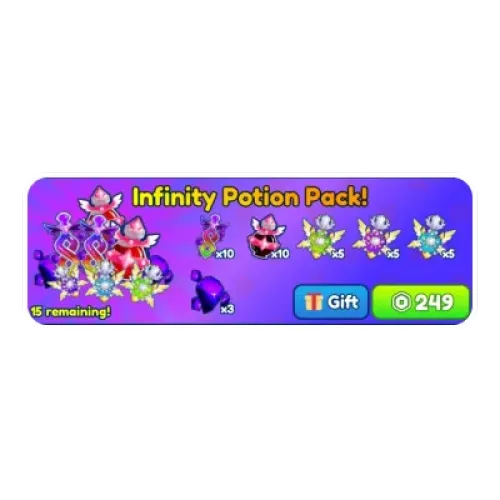
If you need consumables or materials, compare Infinity Potion Pack!, Rune Pack! and Fragment Starter Bundle!. Always check the item types, quantities and usage details listed in the current product description. Potion effects are not the same as permanent game passes, and a bundle's name does not mean it includes every available boost.
Why Buy BGSI Items from TRADEE?
Get the Features You Need for Your Current Progress
TRADEE brings together BGSI items with different purposes, making it easier to compare hatching boosts, pet storage upgrades and resource bundles. Check the benefits you already own, then choose the items that fill the gaps in your current setup instead of paying twice for the same feature.
Options for Pet Collection and Everyday Resources
Beyond hatching and team building, the product selection also includes fishing features and resource bundles. Whether you are focused on collecting pets, adjusting your team or replenishing materials, you can choose items that match your current progress.
Clear Order Coordination and In-Game Delivery
After you place an order, TRADEE will coordinate the friend request and in-game meeting through your order contact details. Prepare the correct receiving account, follow the delivery instructions and check the items once the handover is complete.
Browse the available Bubble Gum Simulator INFINITY Items, choose the features or supplies you need, and click Buy Now to place your order.
How to Buy and Receive Bubble Gum Simulator INFINITY Items
- Choose your items and quantities. Check the full product name, features or bundle contents, then review the quantity and final order total. The number of items purchased does not represent a boost multiplier. For example, selecting a quantity of 2 does not automatically double the effect of a game pass.
- Enter your receiving account details. Enter the username of the Roblox account that will receive the items in the Roblox Nickname field, along with the contact details required for your order. Check the spelling carefully. If the username is difficult to identify, you can provide a profile link to help avoid confusion.
- Join the game when notified. After payment is confirmed, check your delivery messages, verify the identity of the delivery staff and accept the friend request. Then join Bubble Gum Simulator INFINITY at the arranged time.
- Receive your items and keep your order details. Check the delivered items against your selection. If anything differs from your order, provide the order number, product name and relevant screenshots for review. Payment confirmation and completed delivery are separate stages, so verify the actual items received.
TRADEE is a third-party item service and is not affiliated with Roblox or the game's official store. Review Roblox and the game's rules regarding transactions conducted outside the platform before purchasing.
BGSI Items Frequently Asked Questions
I Can Already Hatch Multiple Eggs at Once. Do I Still Need Triple Hatch?
First, check whether Triple Hatch is already listed among your owned game passes. Other game progress or effects may also influence the number of eggs you can hatch at once, so your current hatch count alone does not confirm ownership. Check the source of your existing feature and the product details before purchasing to avoid buying the same benefit twice.
Does Double Currency Double Event Tokens, Exchange Rewards and Bundle Contents?
Not necessarily. World currencies, event tokens and fixed rewards may follow different rules. If you are purchasing it for a specific event, check which rewards are covered by the relevant event and game pass. Double Currency also does not mean that the listed quantities in existing bundles will automatically increase.
My Order Shows as Delivered, but There Is No New Item in My Inventory. Did I Receive It?
Not necessarily. First, check whether you purchased a game pass benefit or a consumable that should appear in your inventory. Game passes may unlock features, increase the number of pets you can equip or expand storage without adding a usable inventory item. Check the corresponding feature and ownership status. If they still do not match your order, keep the relevant screenshots and contact customer support for verification instead of placing another order.
